Avoid Blueprint Spaghetti
When making gameplay systems of higher complexity, blueprint visual scripting can easily lead to unmaintainable spaghetti.

UnrealEngine-Angelscript is actively developed by Hazelight, creators of Split Fiction and It Takes Two, which were shipped with the majority of their gameplay written in angelscript. More recently, The Talos Principle 2 was also shipped by Croteam using UnrealEngine-Angelscript.
The unreal plugin that integrates angelscript is open source, and has received contributions from studios in Stockholm and globally.
Come talk to us in our Discord Server if you’re interested or have questions!
Several released games have been built using UnrealEngine-Angelscript:
Games from several other studios have also been released using UnrealEngine-Angelscript.
Avoid Blueprint Spaghetti
When making gameplay systems of higher complexity, blueprint visual scripting can easily lead to unmaintainable spaghetti.
Fast Iteration
Scripts can be reloaded instantly in the editor, letting developers focus on creating cool shit instead of waiting for compiles and editor restarts.
Improved Cooperation
Because programmers and designers are no longer separated by the C++/Blueprint divide, they can work closely together using the same systems and tools.
Performance
Angelscript performs significantly better than blueprint for game scripting, and approaches native C++ performance when using transpiled scripts in a shipping build.
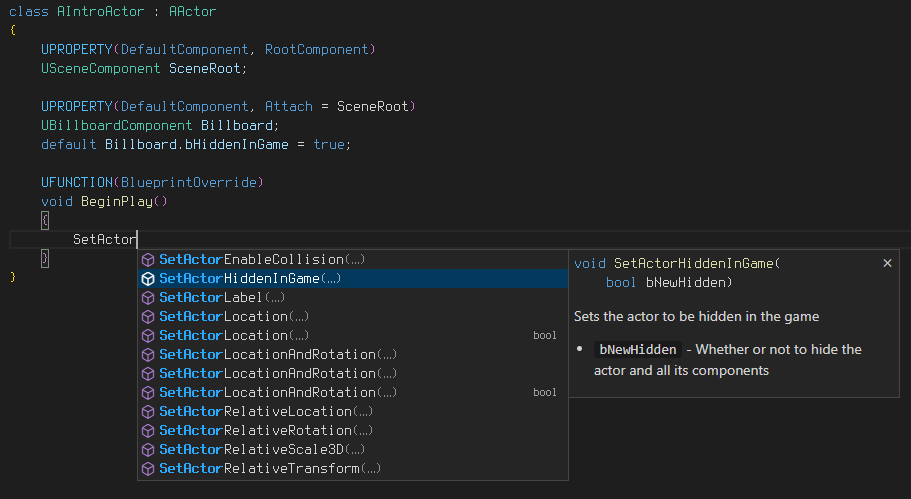
Programmers used to working in Unreal C++ will find the scripts instantly familiar, but with many key simplifications to make life easier for designers and avoid common C++ pitfalls.
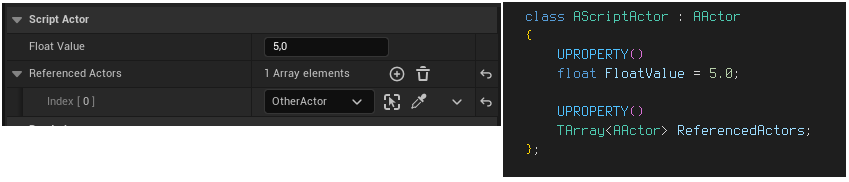
See your changes to scripted actors and components reflected immediately when you hit save.
Non-structural changes can be reloaded while playing your game for lightning-fast iteration.
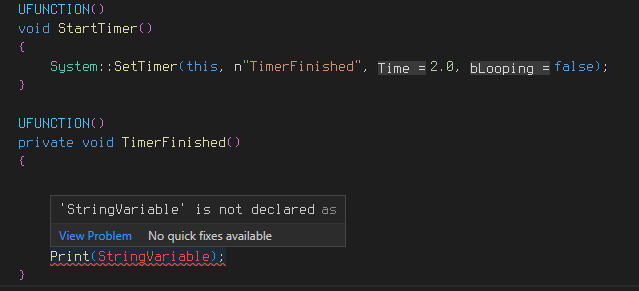
To make scripting easier, a Visual Studio Code Extension is available implementing full Language Server Protocol support.
This includes support for many editor features, such as:
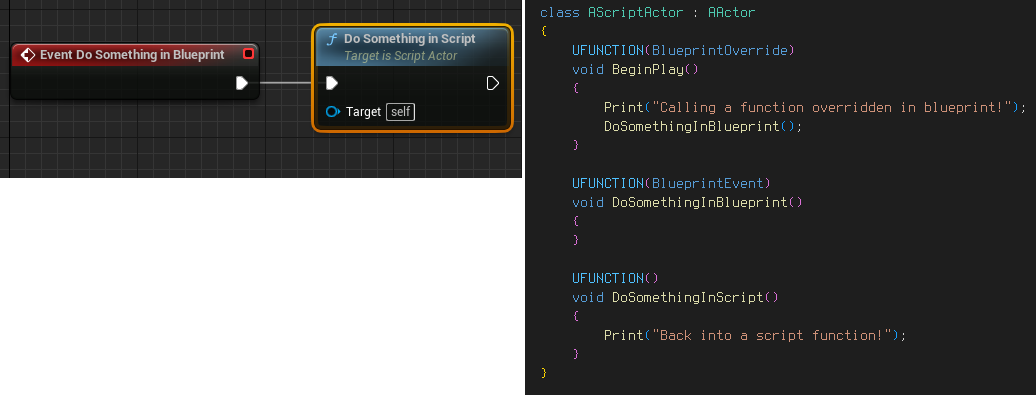
Angelscript classes can override any BlueprintImplementableEvent you expose from C++, and can be used seamlessly as base classes for child blueprints.
Use whatever combination of tools fits your workflow best.
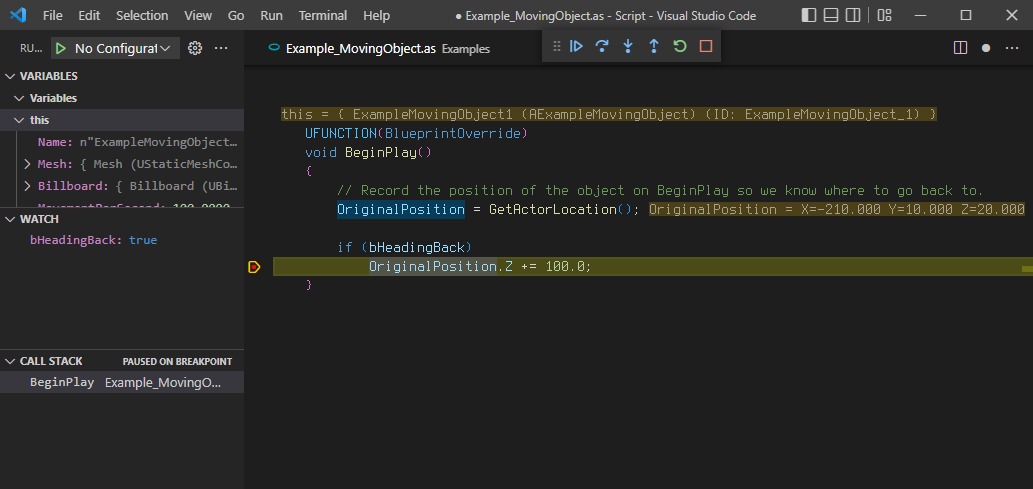
Debug your script code through the Visual Studio Code extension. Set breakpoints and inspect variables, and step through your scripts to find issues.